Sustainable Digital Business Cards for Your Brand
In the past, if you wanted to share a business card, you had only one choice: paper. More often than not, bleached white, heavyweight, high GSM paper. The paper industry uses 42% of all wood harvested globally. Reducing our dependence on paper should concern us all, not just because trees account for half of terrestrial carbon storage, but also because of the huge amount of energy and water used in paper manufacturing.
Not long ago, there wasn’t a choice in how you shared your contact details in a professional setting. Today, thankfully,y there is a choice, and more and more individuals and organizations are making the switch to digital business cards or contactless NFC Cards you can keep forever.
In this blog, I’ll answer:
- How bad are paper business cards for the environment?
- How can a digital business card be an eco-friendly business card?
- Can my team use digital business cards?
How bad are paper business cards for the environment?
Surely those little paper rectangles can’t be that bad for the environment, right? Relative to an oil tanker hitting a reef or a new coal-fired power plant paper business cards look pretty harmless, don’t they? That doesn’t mean we should wave them through the eco-friendly gate, far from it.
It’s not just that manufacturers remove carbon storage to make these cards; you also need to factor in:
- Carbon emissions throughout the manufacturing process.
- Manufacturers use 300+ liters of water to make just one kilo of paper.
- Printers use bleaches, toxic dyes, and plastics during printing..
- Transport to customers.
- Waste management uses energy during sorting, transporting, and taking your unwanted cards to the landfill.
- And the final kick in the guts, the gases released by your decomposing paper cards in landfill (including our common enemy, methane).
We can do better; we should all do better than this.
How can a digital business card be an eco-friendly business card?
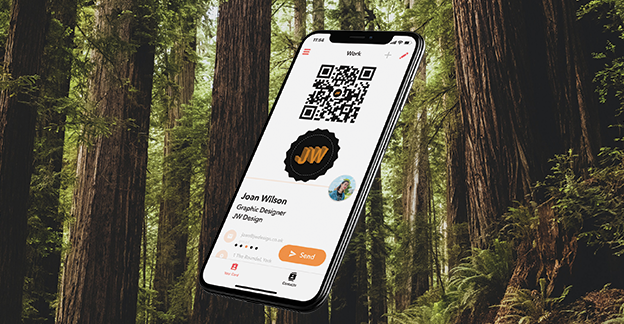
The clue is in the name: a digital business card is inherently digital. A digital business card uses software to share your contact details, not paper. You might also hear a digital business card referred to as a virtual business card, vcard, or electronic business card (these terms are interchangeable).
Instead of carrying paper cards in your wallet or bag, you can share a digital business card from your phone. You can choose to share your card via scanning your QR code, Apple Watch, Smartphone Widget, text, email, orby sharing your digital business card’s URL link.
Not only that, a Blinq digital business card allows you to download your card’s unique QR code. You can add this to your website, social media, and share it at your networking events. This can help eliminate the need for other printed marketing materials. You can share your QR code on screen instead; you can even hold your phone up to your laptop camera on Zoom calls, and your recipient will be able to scan your QR code..
Can my team use digital business cards?
Individuals can download the Blinq digital business card app and create two cards to use themselves. We also offer Blinq Premium, which allows individuals to make five cards, along with a host of customization and personalization features.
Businesses and teams can benefit from our Blinq Business subscription, which allows you to create and manage cards for all team members from a single dashboard. Create consistency for your brand, update your cards in real time using templates and integrate the contacts your digital business cards create with your existing CRM system.
When you sign up for Blinq Business, we’ll also give you a 30-day trial to help get you started. You will also benefit from 24/7 onboarding support for you and your team.
Can I add my digital business card contacts to my CRM system?
With Blinq, you can add the contacts you make to your CRM system, quickly and easily.
Blinq Premium users can download a CSV file of the contacts that they make and upload this to their CRM system.
Blinq Business users can add their contacts to their existing CRM system at any time using Zapier. The setup takes around 5 minutes and allows you to connect Blinq with thousands of CRM systems, including HubSpot, Salesforce, Monday.com, Zoho, Microsoft Dynamics and many more.
To export your contacts using Blinq:
- Open your Blinq dashboard and log in (note: only Blinq Business Admins can export contacts for their organization to their CRM).
- Go to the “Contacts” view
- Click “Export Contacts”
- Choose either CSV or Zapier
- Download the file or follow the simple steps to set up the integration
If you would like to demo Blinq Business with us, please get in contact today using this link.
If you’re ready to make the sustainable choice for you and your business, create a digital business card today and start sharing your contact details in an eco-friendly way with Blinq.
Disclaimer: The following piece of content is reposted for informational purposes only from www.blinq.me. All rights, including text, images, and trademarks, belong to the original publisher ( Blinq ) or issuing entity. We do not claim ownership of this content and are not responsible for its accuracy or any subsequent use.